Grades 1–12 · Live lessons · Free trial
AI & coding curriculum for kids and teens
Free · No payment details
- Grades 1–12Four grade tracks
- 144 lessonsIn every grade track
- 18 modulesA project in each
- 4 certificatesPer grade track
Built by alumni of


Accredited by

Choose your child's grade
Four tracks, each 144 live lessons in three levels. See the modules or download the curriculum.
Grades 1–3
Learn through play with AI & coding
- Level 1: Code.org Sprite Lab, Play Lab, Minecraft, App Lab and Game Lab
- Level 2: Scratch and AI tools
- Level 3: MIT App Inventor, Python, HTML and CSS
Grades 4–5
Spark the future with AI & coding
- Level 1: Code.org Sprite Lab, App Lab, Game Lab and Scratch
- Level 2: Scratch, AI tools, MIT App Inventor and Python
- Level 3: Python, HTML, CSS and JavaScript
Grades 6–8
Build real projects with AI, apps & code
- Level 1: Scratch, AI tools and MIT App Inventor
- Level 2: MIT App Inventor, HTML, CSS, Bootstrap and JavaScript
- Level 3: JavaScript, Python and Google Colab
Grades 9–12
Code, secure & build with data and AI
- Level 1: HTML, CSS, Bootstrap, JavaScript and Python
- Level 2: Python, VS Code and GitHub
- Level 3: Python, pandas, SQL and Google Colab
How our curriculum is built
Written by our curriculum team for live online classes, with the tools children and real developers use.
A project in every module
Children learn by building: animations, games, apps, websites and AI projects they can show and share.
Three levels per grade
Commandos, Masterminds and Innovators: each level builds on the last, with the tools that fit your child's age.
Quizzes and exams
A short quiz in every lesson and an exam after every three modules, so progress is clear to you and the tutor.
Certificates along the way
Four certificates in every grade track, issued as your child completes each stage.
Learn through play with AI & coding
Grades 1–3 AI & coding curriculum
A 144-lesson live journey where young coders make animations, Minecraft worlds, Scratch games, AI projects and their first apps, then try Python and build a first website.
- live lessons
- 144
- live lessons
- modules in 3 levels
- 18
- modules in 3 levels
- projects
- 200+
- projects
- quizzes
- 144+
- quizzes
- exams
- 6
- exams
- certificates
- 4
- certificates
- Code.org
- Minecraft
- Scratch
- AI & machine learning
- MIT App Inventor
- Python
- HTML & CSS
- Level 1 · Modules 1–6
AI & Coding Commandos
Code.org Sprite Lab, Play Lab, Minecraft, App Lab and Game Lab
- 1Let's Make Animation with Sprite LabProject: Fruit Hunter
- 2Build Your Critical Thinking AbilityProject: Collect Stars
- 3Minecraft Coding AdventuresProject: Minecraft Designer
- 4Basic App DevelopmentProject: Codinzy Calculator
- 5Advanced Apps & Basic Game DevelopmentProject: Underwater Move
- 6Level Up with Game LabProject: Sketch with Slider
- Level 2 · Modules 7–12
AI & Coding Masterminds
Scratch and AI tools
- 7Let's Be Friends with ScratchProject: Alex with Sound
- 8Scratch Discovery: Interactive StoriesProject: Deep Sea Elevator
- 9Scratch Superheroes: Game Development BasicsProject: My Capstone Game
- 10Creative Projects & Game MakingProject: Whack-a-Mole
- 11AI Explorers: Learning AI with ScratchProject: Virtual Pet with AI
- 12AI in Action: How Machines Learn & SeeProject: Hand Gesture Detector
- Level 3 · Modules 13–18
AI & Coding Innovators
MIT App Inventor, Python, HTML and CSS
- 13App Builder Basics & Fun Media AppsProject: Talking Phone
- 14Logic, Games & Interactive AppsProject: Space Dodge Game
- 15Discovering PythonProject: My Python Art
- 16Creative Python ProjectsProject: Number Guessing Game
- 17Intro to the Web & HTMLProject: My First Website
- 18CSS: Decorating WebpagesProject: School Website Section
Projects your child will build in Grades 1–3
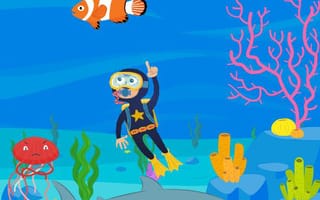
Deep Sea Elevator
Module 8 · Scratch

My Python Art
Module 15 · Python


Go deeper after Grades 1–3:Scratch Programming courseGame Development courseMobile App Development course
Certificates in Grades 1–3
- Junior Game Developer after Module 6
- Scratch & AI Creator after Module 12
- Junior App Developer after Module 14
- Python & Web Developer after Module 18
Spark the future with AI & coding
Grades 4–5 AI & coding curriculum
A 144-lesson live journey from first code blocks to real AI projects, mobile apps, Python programs and interactive websites with JavaScript.
- live lessons
- 144
- live lessons
- modules in 3 levels
- 18
- modules in 3 levels
- projects
- 200+
- projects
- quizzes
- 144+
- quizzes
- exams
- 6
- exams
- certificates
- 4
- certificates
- Code.org
- Scratch
- AI & machine learning
- MIT App Inventor
- Python
- HTML, CSS & JavaScript
- Level 1 · Modules 1–6
AI & Coding Commandos
Code.org Sprite Lab, App Lab, Game Lab and Scratch
- 1Animation Building with Sprite Lab & ArtistProject: Fruit Hunter
- 2Build Your First AppProject: Codinzy Calculator
- 3Design Your Own GameProject: Collect the Stars
- 4Foundations & Storytelling with ScratchProject: Let's Dance
- 5Logic & Game MechanicsProject: Password Gatekeeper
- 6Advanced Scratch MasterpiecesProject: Multi-Level Game
- Level 2 · Modules 7–12
AI & Coding Masterminds
Scratch, AI tools, MIT App Inventor and Python
- 7Advanced Game Design & Cinematic AnimationProject: Space Shooter
- 8AI Explorers: Learning AI with ScratchProject: AI Detective
- 9AI in Action: How Machines Learn & SeeProject: Scratch Chatbot
- 10App Builder Basics & Fun Media AppsProject: Magic 8-Ball App
- 11Logic, Games & Interactive AppsProject: Space Dodge Game
- 12Python FoundationsProject: Python Turtle Art
- Level 3 · Modules 13–18
AI & Coding Innovators
Python, HTML, CSS and JavaScript
- 13Python Logic & LoopsProject: Number Guessing Game
- 14Functions & Data CollectionsProject: Digital Inventory
- 15Problem Solving with PythonProject: Interactive Chatbot
- 16HTML: Creating WebpagesProject: My First Website
- 17CSS: Styling WebpagesProject: My Creative Website
- 18JavaScript: Interactive WebpagesProject: My Interactive Website
Projects your child will build in Grades 4–5
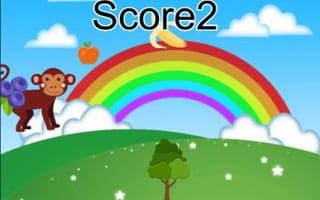
Fruit Hunter
Module 1 · Code.org Sprite Lab
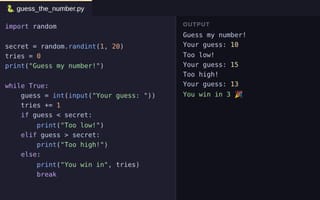
Number Guessing Game
Module 13 · Python
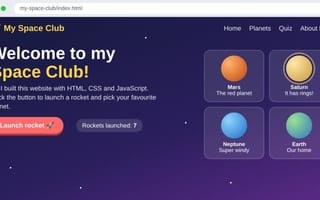
My Interactive Website
Module 18 · HTML, CSS & JavaScript


Go deeper after Grades 4–5:Scratch Programming coursePython Programming courseRoblox Coding course
Certificates in Grades 4–5
- Block-Based Developer after Module 6
- Junior App Developer after Module 12
- Python Developer after Module 15
- Junior Web Developer after Module 18
Build real projects with AI, apps & code
Grades 6–8 AI & coding curriculum
A 144-lesson live journey through Scratch, real AI, mobile apps with databases, full websites, Python and a first taste of data science.
- live lessons
- 144
- live lessons
- modules in 3 levels
- 18
- modules in 3 levels
- projects
- 400+
- projects
- quizzes
- 144+
- quizzes
- exams
- 6
- exams
- certificates
- 4
- certificates
- Scratch
- AI & machine learning
- MIT App Inventor
- HTML, CSS & JavaScript
- Bootstrap
- Python
- Google Colab
- Level 1 · Modules 1–6
AI & Coding Commandos
Scratch, AI tools and MIT App Inventor
- 1Scratch Fundamentals & AnimationProject: The Racing Car
- 2Advanced Games, Logic & DataProject: Multi-Level Game
- 3Foundations of Artificial IntelligenceProject: AI Problem-Solver
- 4Advanced Artificial IntelligenceProject: Human Chatbot
- 5Modern App DevelopmentProject: Multi-Screen App
- 6AI, APIs & Database ApplicationsProject: Smart Weather App
- Level 2 · Modules 7–12
AI & Coding Masterminds
MIT App Inventor, HTML, CSS, Bootstrap and JavaScript
- 7Databases & Social App DevelopmentProject: Class Social App
- 8HTML Basics: Build Your First Web PageProject: My Personal Web Page
- 9CSS Styling: Colours, Boxes & LayoutsProject: Personal Profile Card
- 10Web Projects WorkshopProject: Brand Landing Page
- 11Bootstrap: Fast Responsive WebsitesProject: Startup Website
- 12JavaScript Basics: Make Pages ThinkProject: Choose Your Adventure
- Level 3 · Modules 13–18
AI & Coding Innovators
JavaScript, Python and Google Colab
- 13Interactive Web AppsProject: Quiz App
- 14Python BasicsProject: Smart Travel Planner
- 15Python Loops & ConditionsProject: Diamond Pattern
- 16Functions & ModulesProject: Random Adventure Generator
- 17Data StructuresProject: Codzy Mart Order Manager
- 18Introduction to Data ScienceProject: Data Report from a CSV
Projects your child will build in Grades 6–8
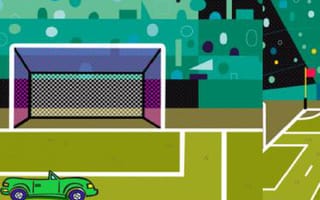
The Racing Car
Module 1 · Scratch
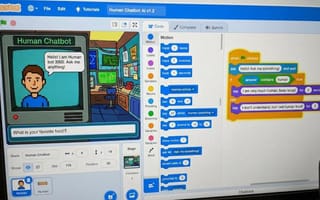
Human Chatbot
Module 4 · Scratch & AI
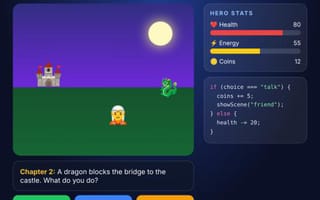
Choose Your Adventure
Module 12 · JavaScript
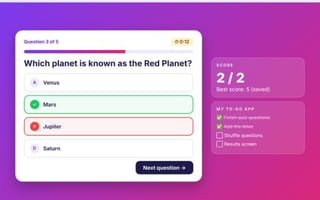
Quiz App
Module 13 · JavaScript
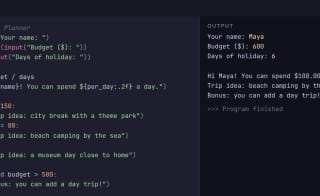
Smart Travel Planner
Module 14 · Python


Go deeper after Grades 6–8:Python Programming courseWeb Development courseRoblox Coding courseDatabase Programming course
Certificates in Grades 6–8
- AI & App Developer after Module 6
- Junior Web Developer after Module 12
- Python Developer after Module 17
- Data Science Explorer after Module 18
Code, secure & build with data and AI
Grades 9–12 AI & coding curriculum
A 144-lesson live track from the first web page to JavaScript, Python, cybersecurity, SQL, data science, machine learning and generative AI, with the tools developers use: VS Code, GitHub and Colab.
- live lessons
- 144
- live lessons
- modules in 3 levels
- 18
- modules in 3 levels
- projects
- 400+
- projects
- quizzes
- 144+
- quizzes
- exams
- 6
- exams
- certificates
- 4
- certificates
- HTML, CSS & JavaScript
- Python
- Git & GitHub
- Cybersecurity
- SQL
- Data science
- Generative AI
- Level 1 · Modules 1–6
AI & Coding Commandos
HTML, CSS, Bootstrap, JavaScript and Python
- 1HTML BasicsProject: My Personal Web Page
- 2CSS StylingProject: Profile Card
- 3Web Projects WorkshopProject: Brand Landing Page
- 4BootstrapProject: Startup Website
- 5JavaScript BasicsProject: Choose Your Adventure
- 6Getting Started with PythonProject: Smart Travel Planner
- Level 2 · Modules 7–12
AI & Coding Masterminds
Python, VS Code and GitHub
- 7Python Loops & ConditionsProject: Diamond Pattern
- 8Python Functions & ModulesProject: Random Adventure Generator
- 9Python Data StructuresProject: Codzy Mart Order Manager
- 10Object-Oriented ProgrammingProject: Smart Pet Simulator
- 11Algorithms & Problem SolvingProject: Maze Generator & Solver
- 12Cybersecurity Basics: Protect Yourself and Your CodeProject: CTF Puzzle Hunt
- Level 3 · Modules 13–18
AI & Coding Innovators
Python, pandas, SQL and Google Colab
- 13Introduction to Data ScienceProject: My Data Diary Report
- 14Data Detective: Exploring Data with pandasProject: Exploratory Data Analysis
- 15Data from Databases: SQL with PythonProject: School Library Database
- 16Charts & Data StorytellingProject: Student Performance Analyzer
- 17Your First Machine LearningProject: Demand Predictor
- 18Generative AI & Prompt EngineeringProject: AI Study Buddy
Projects your child will build in Grades 9–12
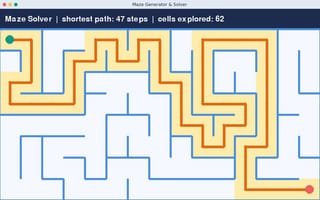
Maze Generator & Solver
Module 11 · Python
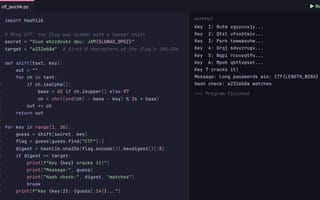
CTF Puzzle Hunt
Module 12 · Cybersecurity
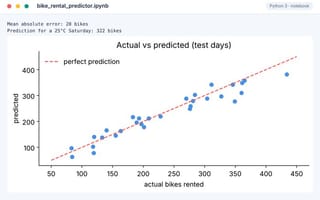
Demand Predictor
Module 17 · Machine learning
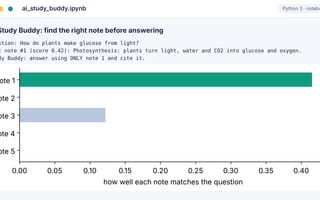
AI Study Buddy
Module 18 · Generative AI


Go deeper after Grades 9–12:Python Programming courseWeb Development courseData Science courseDatabase Programming course
Certificates in Grades 9–12
- Junior Web Developer after Level 1
- Python Developer after Module 11
- Cybersecurity Defender after Module 12
- Data Science & AI Developer after Module 18
Specialised course curricula
Courses that go deep into one subject, for children who know what they love or want to go further.
Scratch Programming
Grades 2-8 · 4 months
- lessons
- 32
- lessons
- stages
- 5
- stages
- First steps with blocks
- Loops and decisions
- Variables and game logic
- Games, animations and stories
- Final project
Certificate: Scratch Programming Fundamentals certificate
Python Programming
Grades 3-12 · 12 months
- lessons
- 96
- lessons
- modules
- 12
- modules
- projects
- 350+
- projects
- Python Foundations: basics to games with Tkinter and Pygame
- Python Advanced: algorithms, data, machine learning and Flask web apps
Certificates: Junior Python Developer, Python Mastermind
Web Development
Grades 3-12 · 12 months
- lessons
- 96
- lessons
- modules
- 12
- modules
- projects
- 250+
- projects
- Web Development Basics: HTML, CSS, Bootstrap, Tailwind and going live
- Web Development Advanced: JavaScript, APIs, React and a launched web app
Certificates: Junior Web Developer, Web Development Mastermind
Mobile App Development
Grades 1-12 · 6 months
- lessons
- 48
- lessons
- stages
- 5
- stages
- App basics
- Logic and interaction
- Data in apps
- Cross-platform with React Native and Flutter
- Publishing
Certificate: Mobile App Developer certification
Game Development
Grades 1-12 · 6 months
- lessons
- 48
- lessons
- stages
- 5
- stages
- Game design basics
- 2D games
- Coding gameplay
- 3D games in Unity
- Final game
Certificate: Game Developer Professional certificate
Data Science
Grades 8-12 · 12 months
- lessons
- 96
- lessons
- modules
- 12
- modules
- projects
- 350+
- projects
- Data Science Foundations: pandas, SQL, open data, statistics and charts
- Machine Learning & AI: models, neural networks and deep learning
Certificates: Junior Data Analyst, Data Science Mastermind
Roblox Coding
Grades 4-10 · 5 months
- lessons
- 40
- lessons
- modules
- 5
- modules
- published games
- 5
- published games
- Roblox Studio and Luau scripting
- Obby, tycoon, racing and mystery games
Certificate: Roblox Developer
Database Programming
Grades 6-12 · 4 months
- lessons
- 32
- lessons
- modules
- 4
- modules
- database projects
- 4
- database projects
- Tables, rows and first SQL
- Searching, grouping, JOINs and real-world databases
Certificate: Database Developer
Prefer something short? Coding camps are 16 lessons on one topic. Or compare every course.
What parents and students say about our coding classes
“My child absolutely loves the coding classes! It's incredible to see how quickly they've picked up complex concepts and the confidence they've gained. Highly recommend!”
“I love coming to coding class! It's so much fun to build games and see my ideas come to life. The teachers are really helpful and make everything easy to understand.”
“I've been learning to code here for a while now, and it's been so much fun! The classes are interactive and the teachers are really patient. I've made some great friends too.”
“Learning to code here has been amazing! I've built so many cool projects and my problem-solving skills have really improved. The classes are super fun and engaging.”
See how your child likes it
One free live lesson with a tutor. No payment details needed.
Book my free classQuestions parents ask about the curriculum
About the curriculum and lessons first, then fees, scholarships and payment.
Which curriculum is right for my child?
Start with your child's school grade: Grades 1–3, 4–5, 6–8 or 9–12. Each track starts from the basics and suits that age. In the free class the tutor checks what your child already knows and sets the starting module and pace, so nobody repeats what they have learned.
Does my child need any coding experience?
No. Every grade track starts at Level 1 with no experience needed. Children who have coded before can start further on after the free class.
How is each grade curriculum organised?
Each grade track has 144 live lessons in 18 modules of 8 lessons, grouped into 3 levels: Commandos, Masterminds and Innovators. Every module ends with a project your child builds, and each level leads to a certificate.
How long does a grade track take?
It depends on how many classes a week your child takes. At 2 classes a week, the 144 lessons take about 17 months; at 3 a week, about 11 months. Each level of 48 lessons is a complete stage with its own certificate, so your child can stop after any level.
How are the lessons taught?
Every lesson is live with a real tutor, never pre-recorded, and your child keeps the same tutor. Private classes are 45 minutes, 2–3 times a week. Small groups of 2–4 meet for 60 minutes, twice a week. Classes are scheduled in your time zone.
How is my child's progress checked?
There is a short quiz in every lesson and an exam after every 3 modules. Tutors review projects, and parents get monthly progress reports and a dashboard. Certificates are awarded as your child completes each stage.
Are the certificates recognised?
Codinzy is accredited by STEM.org. Each grade track has 4 certificates, issued as your child completes each stage, as a downloadable PDF with a verification code.
What are the specialised courses?
Alongside the grade tracks, children can focus on one subject, such as Scratch, Python, web development, games, apps, data science, Roblox or databases with SQL. Each course has its own curriculum, from 32 to 96 lessons, and its own certificate.
What does my child need for the classes?
A laptop or desktop computer with a webcam and microphone, and a stable internet connection. A phone screen is too small for coding. The tools run in the browser or are free to install, and the tutor helps set everything up in the first class.
How much do the classes cost?
You pay per class, and the price depends on the plan. With a 25% scholarship, Plus is $9.38 a class (groups of 3–4, regular $12.50), Pro $13.13 (groups of 2–3, regular $17.50) and Prime $18.75 (private 1-on-1, regular $25), in US dollars. More scholarships are available after the free trial class. Your exact price, which can differ by country and group size, is on your payment page.
What is the 25% scholarship?
Every plan comes with a 25% scholarship off the regular price per class, for every family. You don't need to apply: the prices above already include it.
Can my child get a bigger scholarship?
Further scholarships may be available on top of the 25%: merit- and need-based, decided after the free trial class. They are for students who show strong ability and for families who need financial help, so ask the team about them once your child has had the free class.
Can we pay in instalments or monthly?
Yes. You can pay for a course in full, in instalments or month by month. The team sets up the option you choose on your payment page. Either way you pay only for the classes your child takes.
How do I pay?
By card through Stripe, bKash or Bangla QR. Some payment pages also offer an international bank transfer.
Is there a discount for siblings?
Enrolling more than one child? Ask the team about a sibling discount after the free class. Each child has their own classes and progress reports.
What if we want to stop?
You pay only for the live classes your child has taken; there is no lock-in. If you cancel before any live class is completed, you get a 100% refund. After that, you are refunded for the classes not taken, to your original payment method.
Is the free trial class really free?
Yes. It is a real live lesson with a tutor and you don't enter payment details. The tutor checks your child's level and recommends where to start in the curriculum, and you decide afterwards whether to continue.
Can I download the curriculum?
Yes, for each grade track and most courses: open or download the curriculum file from this page, with all the modules, projects and certificates. Some courses do not have one yet; ask the team about those.